We use cookies to enhance your experience, provide personalised content, and analyse our traffic; see our Cookie Policy.
microsoft/mai-image-2.7Microsoft's image model for precise edits, tested on an invoice
MAI-Image-2.7 is Microsoft's image model for generating from text and for editing existing images. Microsoft calls it its precision tier: removing or replacing an object, changing an attribute, updating text, cleaning up an artifact, with the composition and layout of the original kept. It is a public preview, announced on 17 November 2026, so its behaviour and availability can change.
Last updated Nov 25, 2026
On Tchavi, send a prompt, or a prompt with up to five reference images to edit from. It costs 84.3 credits per image, one image per request, in seven aspect ratios or auto to follow the reference. Each reference image is billed on top, according to its size: about 12 credits for a 720×900 image, about 19 for 1024×1024.
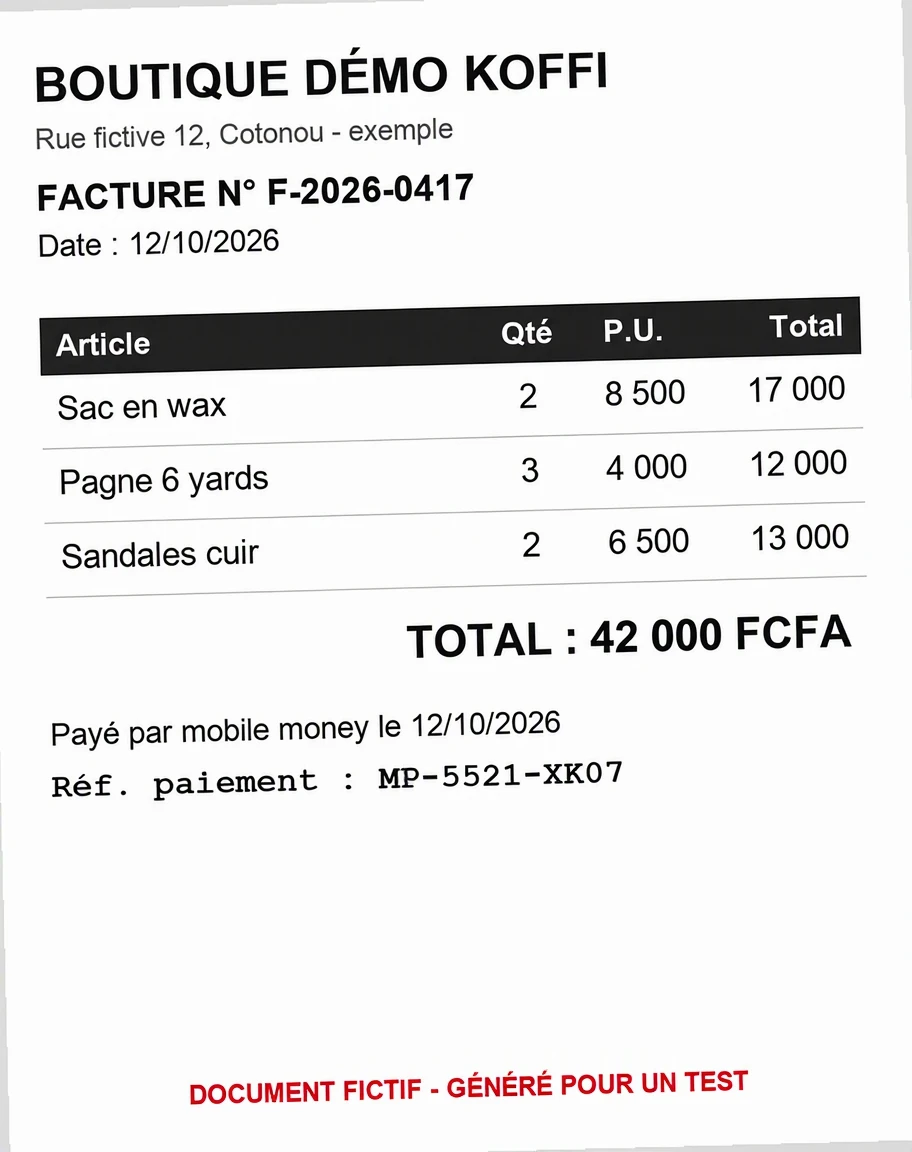
We tested it on a fictitious invoice with one prompt that changes a quantity, a line total and the grand total in French. The three changes came out exact, and the other lines, the header, the dates and the notice kept their words, accents and numbers.
On Tchavi you pay with mobile money, no card and no KYC. One API key opens 100+ models, images and video included: compare MAI-Image-2.7 with the others on the same prompt.
Change one detail and leave the rest alone: what Microsoft built it for, and what our invoice test showed for the text
Update text and numbers in a picture: three figures changed exactly in our invoice test
Send up to five JPEG or PNG images to edit from
Describe an image, get an image back
Square, portrait and landscape from 1:1 to 16:9, or auto to follow the reference
Microsoft calls 2.7 its precision tier and Flash the lower-latency, lower-cost version. On our invoice edit both returned the three changes exactly: Flash took 9 seconds against 18, one run each, and costs less than a third of the credits per image (25 against 84.3). Try Flash first, and move to 2.7 if you want the precision tier.
Yes: send up to five reference images, JPEG or PNG, with a prompt that says what to change and what to keep. Each reference is billed on its size, about 12 credits for 720×900 and 19 for 1024×1024.
You choose the shape with an aspect ratio, or auto to follow your reference. There is no resolution setting, and a request that names one is refused before anything is billed.
Up to 800 characters are included in the price. Beyond that the extra text is billed, about 5.8 credits per 1,000 characters, and a prompt is not turned away just for going past 800 characters.
It is a public preview, announced on 17 November 2026. Microsoft can change how it behaves, so check the results again before you rely on it for a fixed workflow.
With your Tchavi API key, request an image with model: "mai-image-2.7", your prompt, an aspect ratio and, to edit, your reference images.
Yes. Top up your Tchavi account with Orange Money, MTN MoMo, M-Pesa or another mobile money operator. No bank card is needed. Credits land as soon as the payment is confirmed and are deducted as you use them.
Yes. Keep your current OpenAI SDK, just change the base URL to Tchavi's (shown in the API tab) and use your Tchavi key. The rest of your code stays the same.
import Tchavi from '@tchavi/sdk';

const client = new Tchavi({ apiKey: 'API_KEY' });

const result = await client.images.generations.create({
  "model": "mai-image-2.7",
  "prompt": "A cute cat wearing a space suit",
  "n": 1,
  "quality": "standard",
  "size": "1024x1024"
});

console.log(result.data[0].b64_json);
console.log('Credits used:', result.tchavi.credits_used);Every parameter this model accepts on the API. Check the SDK for full typings.
modelRequiredID of the image model (e.g. `mai-image-2.7`).
promptRequiredText description of the image to generate.