We use cookies to enhance your experience, provide personalised content, and analyse our traffic; see our Cookie Policy.
black-forest-labs/flux-2-pro65 credits, and it follows a long prompt
Black Forest Labs' FLUX.2 Pro is unusually good at doing exactly what a detailed prompt asks, and keeps a character or style consistent across several reference images. At 65 credits an image it undercuts most of its quality tier.
Last updated Nov 19, 2026
Follows long, detailed prompts closely
Keeps a face or style across multi-reference inputs
Edit an existing image, not just generate from scratch
Stable lighting and fine surface detail
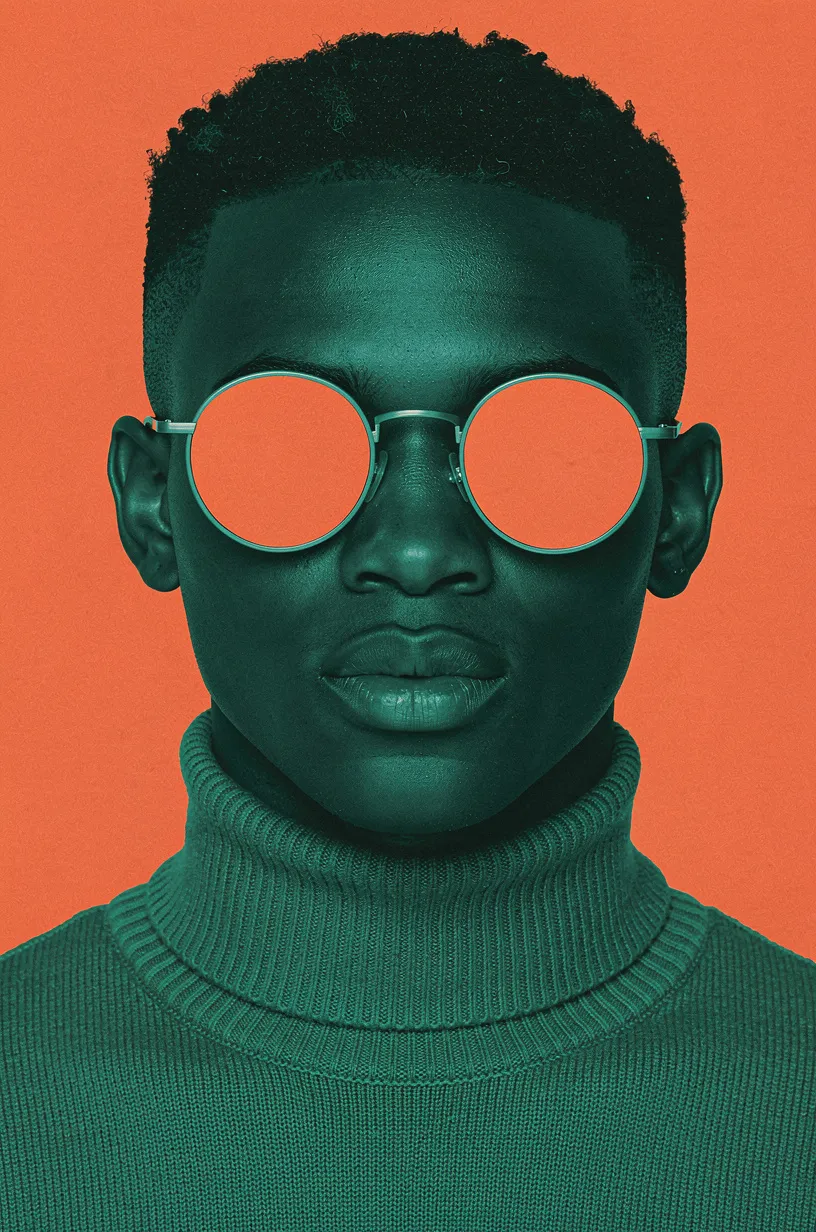
Hyper-symmetrical head-on studio portrait of a young Black man, cropped just below the shoulders, head centred, filling the upper two thirds of a vertical frame. The entire image is a hard two-colour duotone: a flat, saturated vermilion-orange background, and the whole figure rendered in deep sea-green teal. His skin is colour-graded teal rather than a natural tone, with every highlight and shadow falling inside that one green range, so the portrait reads as a two-ink screen print rather than a photograph with coloured light. Short cropped afro with a clean hairline, fine curl detail visible against the orange. He wears a ribbed teal roll-neck sweater, the collar standing high under his jaw, the knit texture sharp. Round wire-frame sunglasses with large circular lenses mirrored in exactly the same vermilion-orange as the background, the only warm colour anywhere on the figure, hiding the eyes completely. Flat, even frontal lighting with no visible source, gentle shading on the cheekbones and the collar. Graphic fashion-editorial poster, high contrast, clean edges, no text.
Yes. Top up your Tchavi account with Orange Money, MTN MoMo, M-Pesa or another mobile money operator. No bank card is needed. Credits land as soon as the payment is confirmed and are deducted as you use them.
Yes. Keep your current OpenAI SDK, just change the base URL to Tchavi's (shown in the API tab) and use your Tchavi key. The rest of your code stays the same.
import Tchavi from '@tchavi/sdk';

const client = new Tchavi({ apiKey: 'API_KEY' });

const result = await client.images.generations.create({
  "model": "flux-2-pro",
  "prompt": "A cute cat wearing a space suit",
  "n": 1,
  "quality": "standard",
  "size": "1024x1024"
});

console.log(result.data[0].b64_json);
console.log('Credits used:', result.tchavi.credits_used);Every parameter this model accepts on the API. Check the SDK for full typings.
modelRequiredID of the image model (e.g. `flux-2-pro`).
promptRequiredText description of the image to generate.